The Ultimate Guide to eSIM Compatible Devices in 2025
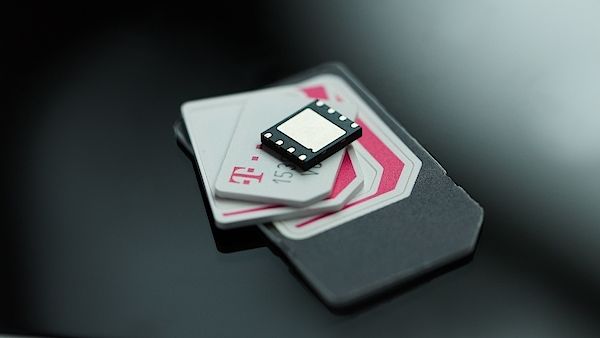
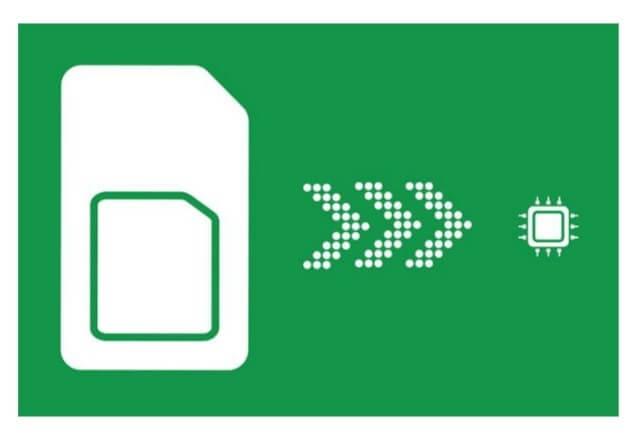
An eSIM compatible device contains a soldered, reprogrammable chip that functions identically to a physical SIM card but without needing a removable card. Instead of swapping plastic cards, users activate a cellular plan by scanning a QR code or downloading a carrier profile directly onto the device. This built-in capability allows for instant switching between multiple mobile plans and frees the physical SIM slot for an additional line.
What Makes a Device Ready for Embedded SIM Technology
A device is ready for embedded SIM technology when it contains a permanently soldered, tamper-resistant eSIM chip compliant with GSMA specifications, enabling remote profile provisioning without a physical card slot. For esim compatible devices, readiness demands firmware that securely stores multiple operator profiles and a user interface for managing activations, switching carriers, or erasing profiles.
A device lacks true eSIM readiness if its hardware or software cannot independently negotiate a connection via an eSIM profile without relying on a physical SIM fallback.
Additionally, the device must support OTA (over-the-air) updates to maintain compatibility with evolving network standards, ensuring the eSIM functions reliably over its lifespan. Without these integrated capabilities, a device is merely SIM-capable, not eSIM-ready.
Core Hardware Requirements for eSIM Support
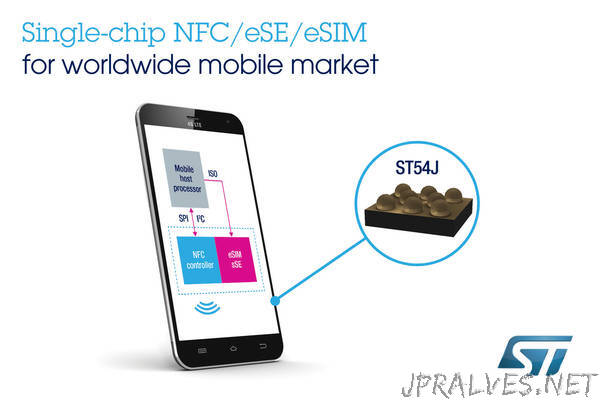
A device’s readiness for embedded SIM technology hinges on a dedicated, soldered eUICC chip compliant with GSMA specifications, typically SGP.22 or SGP.32. This tamper-resistant hardware must securely store multiple operator profiles and handle cryptographic operations for remote provisioning. The device also requires a secure element integrated into the mainboard, often combined with the baseband processor or a separate NXP/STMicro component. Sufficient non-volatile memory (at least 1 MB for profile storage) and a trusted execution environment are non-negotiable to isolate profile management from the main operating system.
Core hardware requirements for eSIM support include a soldered eUICC chip, a secure element, adequate flash memory for profile storage, and a trusted execution environment—all fully integrated at the motherboard level.
How Software and Firmware Enable eSIM Functionality
Software and firmware enable eSIM functionality by managing the secure provisioning and activation of embedded profiles. The device’s firmware contains a tamper-resistant eUICC operating system that securely stores operator credentials. Upon user selection, the software layer—typically within the modem or connectivity stack—interprets the activation code, negotiates with the remote provisioning server, and writes the new profile to the embedded chip. This stack also handles profile switching, deletion, and fallback logic when a primary network fails. Without this coordinated firmware and software orchestration, the physical eSIM chip remains inert, unable to bind to any carrier.
The Role of eUICC in Modern Devices
The eUICC (embedded Universal Integrated Circuit Card) acts as the core enabler for over-the-air profile management in modern eSIM devices. Unlike traditional physical SIMs, the eUICC is a rewritable chip soldered onto the device’s motherboard, allowing users to switch mobile network operators without swapping any card. This chip stores multiple operator profiles simultaneously, so you can keep a personal line and a work line active on one device. In practice, the eUICC makes activation instant—scan a QR code from your chosen carrier, and the profile downloads directly to the chip. Q: Does the eUICC require internet access to switch carriers? A: No, the eUICC only needs internet for profile downloads; once a profile is stored, the device connects to that network independently.
Latest Smartphone Models That Accept Digital SIM Profiles
The latest flagship phones, like the iPhone 16 series and Samsung Galaxy S24 line, now ship with native eSIM support, letting you activate a digital SIM profile without a physical card. For example, the Google Pixel 8 and 9 models also manage multiple eSIMs seamlessly. A common question is: Can I use two eSIMs simultaneously for work and personal lines? Yes, most recent models, including the iPhone 16 Pro Max and Galaxy S24 Ultra, support dual active eSIMs, so you can switch profiles easily in settings. Just ensure your carrier offers a quick QR code or app-based activation—no plastic necessary.
Flagship Android Devices with Embedded SIM Support
Flagship Android devices with embedded SIM support, such as the Google Pixel 9 series and Samsung Galaxy S24 line, integrate an eSIM as a permanent hardware component alongside a physical nano-SIM slot. This dual-SIM capability allows you to activate a secondary mobile plan without inserting a card, useful for separating work and personal numbers while traveling. The Pixel 9 Pro enables dual active eSIMs, meaning both lines stay live simultaneously for calls and data. Samsung’s Galaxy S24 Ultra similarly supports dual eSIM activation via the settings menu, letting you switch profiles without restarting. Dual eSIM management typically requires scanning a QR code or entering a carrier activation code directly within the device’s connectivity settings.
| Model | eSIM Slots | Physical SIM Slots | Dual Active eSIM |
|---|---|---|---|
| Google Pixel 9 Pro | 2 | 1 | Yes |
| Samsung Galaxy S24 Ultra | 2 | 1 | Yes |
Apple iPhone Lineup and eSIM Integration
Apple’s iPhone lineup has adopted eSIM integration extensively, starting with the iPhone XS, XR, and later models. In the U.S., models from the iPhone 14 series onward have removed the physical SIM tray entirely, relying solely on eSIMs. Users can store multiple eSIM profiles on a single device, with support for dual active eSIMs on the iPhone 13 and later. This enables seamless carrier switching without swapping physical cards, though users must ensure their carrier supports eSIM activation via QR code or carrier app. iPhone eSIM dual-SIM setup allows one active line for data and another for calls, offering practical flexibility for travelers or dual-line users.
Q: Can I use two different carriers simultaneously on an iPhone without a physical SIM?
A: Yes, on iPhone 13 and later models, you can activate and use two eSIMs from different carriers at the same time for voice and data.
Mid-Range and Budget Phones Offering eSIM Functionality
Mid-range and budget phones now frequently include eSIM functionality, making dual-SIM flexibility accessible without a flagship price. Models like the Google Pixel 7a and Samsung Galaxy A54 let you activate a digital SIM alongside a physical card, ideal for travel or separating work and personal lines. You get the same convenience of scanning a QR code to add a carrier profile, just like pricier devices. This means affordable phones now handle eSIM switching for temporary data plans without needing to swap out physical cards. Budget-friendly eSIM adoption is especially useful for testing different carriers on a single device.
Can I use two active eSIMs on a budget phone? Most budget eSIM phones only support one eSIM at a time, paired with a physical SIM—check specs for dual eSIM support, which is rarer at lower price points.
Wearables and Smartwatches with Built-In eSIM Capabilities
Wearables and Smartwatches with Built-In eSIM Capabilities function as fully independent eSIM compatible devices, allowing you to leave your phone behind during runs or errands. The embedded eSIM provisions a secondary mobile number or shares your primary line via multi-number plans, enabling standalone calls, texts, and streaming. For streamlined management, activate the eSIM directly through the watch’s companion app, scanning a QR code from your carrier. These devices require a separate wearable-specific eSIM plan or a paired plan from your provider, not a standard smartphone data package. Most support an always-on LTE connection for emergency services, GPS tracking, and notifications without Wi-Fi. Check that your chosen model includes a robust battery life to handle continuous cellular use. To maintain peak performance, keep the firmware updated for eSIM profile stability and manage background data on the watch itself to avoid throttling.
Top Smartwatches for Independent Cellular Connectivity
For true phone-free operation, the Apple Watch Ultra 2 and Samsung Galaxy Watch6 Classic lead with robust eSIM implementation, enabling calls, texts, and data streaming without a paired handset. The Google Pixel Watch 2 also offers standalone LTE connectivity but requires a carrier-specific eSIM activation. Unlike the Ultra 2’s global emergency SOS via satellite, the Galaxy Watch6 Classic leverages Samsung’s embedded eSIM for seamless line sharing, though battery life on cellular mode remains a critical limitation across models. The Huawei Watch GT 4 Pro provides eSIM independence but lacks third-party app support, narrowing its utility for productivity-focused users.
| Model | eSIM Type | Standalone Features |
|---|---|---|
| Apple Watch Ultra 2 | Dual eSIM + physical SIM | Full app ecosystem, emergency SOS |
| Samsung Galaxy Watch6 Classic | Single eSIM | Number share, health tracking |
| Google Pixel Watch 2 | Single eSIM (carrier-managed) | Wear OS app store, fall detection |
Fitness Trackers That Leverage Embedded SIM Technology
Fitness trackers that leverage embedded SIM technology transform them into standalone devices, untethered from a smartphone for core activity monitoring. With eSIM-enabled fitness tracking, users can stream music, receive call notifications, and share live location data during runs without carrying a phone. The embedded SIM handles LTE connectivity, allowing real-time syncing of biometric data like heart rate and GPS routes directly to cloud platforms. This integration eliminates dependency on Bluetooth range for emergency alerts or coaching prompts. Battery management becomes critical, as the eSIM’s constant network connection draws more power than passive sensors, requiring careful tuning between cellular activity and sensor polling intervals.
eSIM in Kids’ Wearables and Safety Devices
For parents, eSIM in kids’ wearables and safety devices eliminates the need for a physical SIM card, which can be lost or broken by an active child. This embedded technology allows for seamless switching between mobile networks without visiting a store, ensuring a constant, reliable connection for GPS tracking and emergency calls. Parents remotely manage the device’s data plan and contact list through an app, granting control without manual swaps. This makes the wearable a persistent safety net, not a fragile toy. Built-in eSIM technology transforms these devices into dependable guardians that adapt to your family’s changing needs instantly.
Tablets and Laptops Designed for Flexible Connectivity
Tablets and laptops built for flexible connectivity now integrate eSIM compatible devices that let you switch carriers without swapping a physical card. This means you can activate a data plan on your Windows tablet or Chromebook straight from the settings menu, perfect for travel or remote work. Because the eSIM is embedded, you avoid losing tiny SIM trays. A key advantage is you can store multiple carrier profiles simultaneously, enabling instant network hopping if one provider’s signal drops—no need to hunt for a storefront.
Leading Tablets with eSIM for On-the-Go Internet Access
For uninterrupted connectivity, leading tablets like the Apple iPad Pro and Samsung Galaxy Tab S9 series integrate embedded SIM technology. Users activate a mobile data plan directly from the device settings without a physical card. The sequence typically involves:
- Navigating to the cellular settings menu.
- Selecting an eSIM carrier from the supported list.
- Scanning a provided QR code or entering an activation code.
This enables instant on-the-go internet access through global data plans, making these tablets ideal for travelers who need reliable connectivity across multiple regions without swapping SIMs.
Ultrabooks and Chromebooks with Embedded SIM Slots
Ultrabooks and Chromebooks with embedded SIM slots unlock true on-the-go productivity by eliminating the hunt for public Wi-Fi. These devices integrate eSIM profiles directly, allowing users to switch between mobile data plans without fumbling with physical cards. This setup means you can activate a local data plan instantly upon landing, ensuring your laptop remains connected for cloud access, remote work, or streaming during travel. The embedded slot typically supports both eSIM and a physical nano-SIM for maximum flexibility, making these machines reliable companions for professionals and students who need consistent, always-on connectivity without tethering to a phone hotspot. Ultrabooks and Chromebooks with embedded SIM slots thus offer a seamless bridge between powerful computing and constant network access.
In essence, Ultrabooks and Chromebooks with embedded SIM slots merge laptop performance with smartphone-like, always-on connectivity, enabling hassle-free plan switching and instant network access anywhere.
Dual-SIM Hybrid Models: Physical and Digital SIM Compatibility
Dual-SIM hybrid models bridge legacy and modern connectivity by allowing one physical nano-SIM and one eSIM profile to coexist simultaneously. This design lets you maintain an existing local physical SIM while activating a secondary data-only digital line for travel or work, all without swapping cards. The dual-SIM hybrid flexibility ensures seamless switching between networks from the device’s settings menu, providing a single hardware slot plus a reprogrammable digital slot. You can manage both profiles independently, choosing which carries voice, SMS, or data.
Dual-SIM hybrid models combine a physical SIM slot with an eSIM, enabling concurrent use of two separate carriers without hardware swaps or multiple trays.
Automakers and IoT Devices Adopting Embedded SIM Technology
Automakers are integrating embedded SIM technology into vehicles, allowing drivers to activate cellular data plans without a physical SIM card. This enables connected car features like real-time navigation, over-the-air software updates, and emergency services from the factory. For IoT devices, adopting eSIMs simplifies deployment across vast networks of sensors, trackers, and smart meters, as manufacturers can remotely provision network profiles. This eliminates manual SIM swaps, making devices truly portable across carriers. The result is a seamless, always-connected experience where automakers and IoT developers design eSIM compatible devices that function out of the box, with users simply choosing their connectivity plan via a dashboard or app.
Connected Cars with Factory-Installed eSIM Modules
A connected car with a factory-installed eSIM module arrives with a permanent, non-removable chip soldered to the vehicle’s telematics control unit. This enables instant activation of 4G/5G services for embedded over-the-air (OTA) updates, real-time navigation traffic, and emergency eCall without needing a physical SIM swap. The eSIM stores multiple operator profiles, allowing the car to autonomously switch carriers based on signal strength or roaming zones. Unlike a smartphone, a vehicle’s eSIM often integrates with a secondary chip handling high-temperature stability and vibration resistance.
Q: Can I transfer my connected car’s eSIM to a different vehicle?
A: No. The eSIM is welded to the hardware and permanently tied to the vehicle Identification Number (VIN); transfer requires reprogramming by the manufacturer, not a simple SIM removal.
Smart Home Gadgets Relying on Digital SIM Profiles
Smart home gadgets relying on digital SIM profiles bypass physical SIM cards by embedding an eSIM chip that stores multiple carrier profiles. This lets door locks, thermostats, and security cameras switch connectivity remotely—ideal when moving homes or changing providers. Users activate or swap data plans via a mobile app instead of opening the device. A single central dashboard can manage profile subscriptions across all compatible smart home items, allowing automatic failover between networks if one carrier fails. The eSIM’s re-programmability also simplifies adding a vacation home’s device to your primary plan without manual card swaps.
- Doorbell cameras can automatically switch to a backup carrier if the primary network goes down.
- Smart thermostats enable remote profile provisioning from a smartphone, eliminating SIM tray access.
- Multiple home sensors share one digital profile, reducing separate data plan costs.
Industrial IoT Sensors and eSIM for Remote Operations
Industrial IoT sensors deployed in remote operations rely on eSIM technology to maintain continuous, secure connectivity across shifting carrier footprints. Unlike physical SIMs, an eSIM allows a sensor’s subscription profile to be switched over-the-air without hardware access, which is critical for assets like pipeline monitors or mining equipment in areas with no local carrier support. For a remote sensor to activate, the eSIM remote provisioning sequence typically follows:
- The sensor’s eSIM profile is pre-loaded or pushed via a secure OTA command.
- The device authenticates through an IoT connectivity platform, which selects an available carrier.
- The sensor begins transmitting telemetry data (e.g., vibration, temperature) using the newly activated network.
This eliminates physical SIM swaps and ensures uptime even as the sensor moves across coverage zones.
Checking if Your Current Gadget Supports Digital SIMs
To check if your current gadget supports digital SIMs, start by digging into your device’s settings. On an iPhone, go to Settings > Cellular and look for “Add Cellular Plan.” Android users should check Settings > Connections > SIM Manager for an “eSIM” option. Alternatively, dial *#06#; if an eSIM identifier (EID) appears, your device is compatible. You can also verify via your phone’s official specs or by checking the IMEI with your carrier. If your device lacks an EID or the eSIM menu, it’s likely not compatible, meaning you’ll need a physical SIM or a newer, eSIM-ready model. This simple check saves you from buying a digital plan your gadget can’t use.
Using Settings Menus to Verify eSIM Availability
To confirm eSIM support, navigate to your device’s main Settings menu, then select « Cellular » or « Mobile Data. » Look for an option labeled « Add Cellular Plan » or « Add eSIM. » If present, tap it; a prompt to scan a QR code or enter an activation code confirms the device has the necessary hardware and firmware. On Android, « Connections » or « Network & Internet » leads to « SIM card manager, » where an « eSIM » or « Add eSIM » entry indicates compatibility. On iOS, the « Cellular » menu displays « Add eSIM » only on supported models. This direct check eliminates guesswork, as missing these options strongly suggests the gadget lacks native eSIM support.
Verifying eSIM availability via Settings menus involves locating a dedicated « Add eSIM » or « Add Cellular Plan » option under mobile network settings, providing a definitive user-side confirmation without external tools.
IMEI and EID Lookup Methods for Confirmation
To confirm eSIM compatibility, use your device’s **IMEI and EID lookup methods for confirmation**. Dial *#06# to retrieve both numbers; the IMEI identifies the hardware, while the EID is unique to the embedded SIM chip. Cross-reference these digits on your carrier’s compatibility checker—a valid EID confirms an active eSIM slot. If only the IMEI appears, the device likely lacks eSIM support. Do not rely on model numbers alone, as regional variants differ. Always verify using your specific unit’s pairing to avoid activation failures.
Q: Can I use a third-party site for my IMEI and EID lookup?
A: Only use your carrier’s official portal; third-party tools may mishandle EIDs, leading to false compatibility results or security risks.
Carrier-Specific Compatibility Lists and Tools
For definitive confirmation, consult carrier-specific compatibility lists provided by your mobile operator. These tools, often searchable on a carrier’s website by IMEI number, display if your phone’s hardware is authorized for their eSIM profile. Unlike manufacturer specs, these lists filter by network provisioning and regional frequency bands. Using a carrier’s own checker ensures you avoid purchasing an incompatible plan, as a device technically eSIM-ready can still be blocked by the carrier’s database.
Carrier-specific compatibility lists and tools provide the final, authoritative verification by checking your device’s IMEI against the carrier’s network and provisioning policies, ensuring your gadget is approved for their eSIM service.
Global eSIM Adoption by Device Category
Global eSIM adoption is most pronounced in premium smartphones and flagship wearables, where device manufacturers have prioritized multi-profile flexibility. For users, this means high-end devices like the latest iPhones and Samsung Galaxy models offer seamless dual-network switching without physical SIM trays. Mid-range and budget smartphones now also integrate eSIM support, expanding access to travelers and remote workers. In tablets and laptops, eSIM enables instant cellular connectivity without fumbling with nano-SIMs, making these devices truly portable. However, older IoT devices and basic feature phones lag significantly in adoption, limiting eSIM utility for legacy hardware users. Choosing a newer, eSIM-native device category ensures you leverage this standard for effortless global roaming.
Regional Variations in eSIM-Relevant Smartphones
Region shapes which smartphones offer practical eSIM support. In North America, high-end iPhones and Google Pixels dominate, with carrier profiles pre-loaded for instant activation. Asian markets like Japan and South Korea see robust eSIM integration from local giants like Samsung and Sony, yet Chinese devices often restrict eSIM to flagship imports due to domestic testing policies. Meanwhile, Europe offers wider mid-range eSIM adoption, including Fairphone and Nothing models, appealing to value-conscious travelers. This fragmentation means a one-size-fits-all device rarely exists.Targeted device selection by region remains essential for consistent connectivity.
Q: Why does an eSIM phone in India often lack support found on the same model sold in the UK?
A: Carrier certification and software builds differ per region. Manufacturers tailor eSIM firmware to comply with local network tests, meaning hardware UK eSIM compatibility does not guarantee software-based eSIM functionality across markets.
eSIM Rollout in Wearables Across Different Markets
The rollout of eSIM in wearables targets distinct user needs per market. In Asia, smartwatches with standalone eSIMs allow users to leave phones behind during commutes, relying on local carrier profiles for calls and navigation. European markets prioritize eSIM integration for fitness trackers and health bands, enabling independent data sync with medical platforms. North America sees eSIMs in luxury smartwatches for seamless international roaming, while Latin America focuses on budget-friendly wearables that switch between prepaid data plans. This deliberate variety ensures eSIM wearables serve regional habits directly.
- Standalone eSIM for phones-free commutes in Asia markets
- Fitness tracker eSIM for independent health data in Europe
- Luxury watch eSIM for multi-country roaming in North America
- Budget wearable eSIM for prepaid plan switching in Latin America
Future Device Categories Expected to Embrace Embedded SIMs
Future device categories expected to embrace embedded SIMs extend beyond smartphones into specialized, always-connected hardware. Wearable technology, including smartwatches and fitness bands, will integrate eSIMs for standalone cellular functionality, untethering them from a companion phone. Laptops and tablets are adopting embedded SIMs for persistent connectivity, enabling seamless online activity without hunting for Wi-Fi networks or inserting physical cards. Automotive telematics systems, particularly in electric and luxury vehicles, will embed eSIMs for integrated navigation and fleet management. Industrial IoT sensors, such as environmental monitors and asset trackers, will rely on eSIMs for remote provisioning in hard-to-access deployments.
- Smart glasses and augmented reality headsets for hands-free, always-on data streaming.
- Consumer drones with embedded SIMs for real-time video uplink and remote piloting.
- Smart home hubs and security cameras requiring independent cellular backhaul.
What Exactly Makes a Phone eSIM Compatible?
Key Hardware and Software Requirements for eSIM Support
How to Check if Your Current Smartphone Supports eSIM
Top eSIM Compatible Smartphones Across Different Brands
Apple iPhones and iPads That Work with eSIM
Samsung Galaxy Models with Built-In eSIM Capability
Google Pixel and Other Android Devices Supporting eSIM
How to Activate and Set Up an eSIM on Your Device
Step-by-Step Guide to Scanning a QR Code for eSIM Activation

Manual Entry of eSIM Details via Carrier App or Settings
Practical Benefits of Using an eSIM-Compatible Phone
Switching Between Multiple Carriers Without Changing Physical SIMs
Instantly Activating a Local Data Plan While Traveling Abroad

Choosing the Right eSIM Device for Your Needs
Comparing Dual SIM Capabilities: eSIM Plus Physical SIM
Battery Life and Performance Considerations in eSIM-Enabled Phones
Common Questions New Users Have About eSIM Devices